-
Step 1: Spilt Images From docX File of UPS Express
- 1. Upload docX
- 2. Start Auto Download
- 3. Extract Downloaded Zip
-
Step 2: Make Editable Pdf From Images Using Your System
1. Open Abby Software 
* Change Default Setting To OCR 'Select Options'
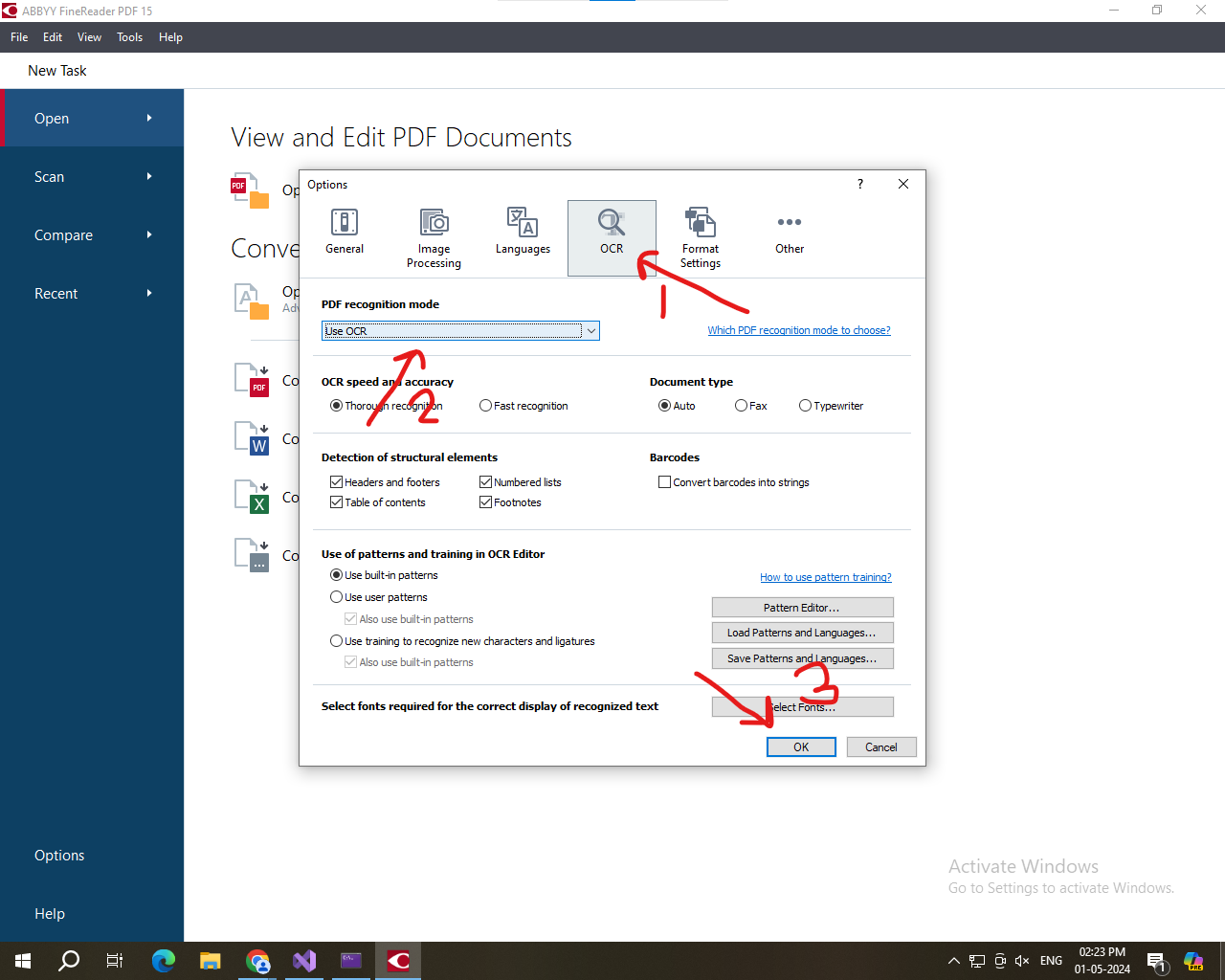
2. Select OCR Tools 
3. Select Open 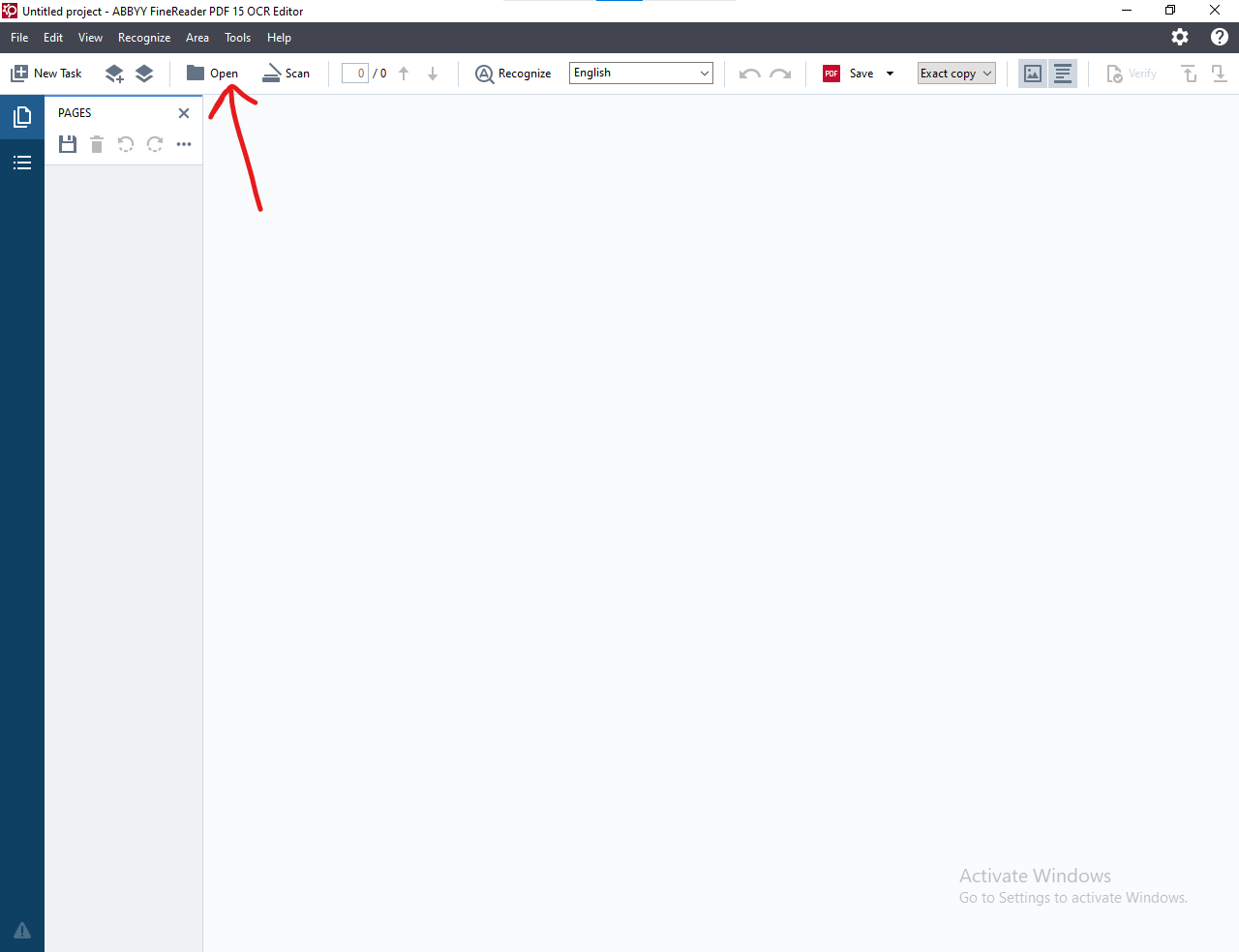
5. Select Edit Image 
6. Select Remove Color Mask 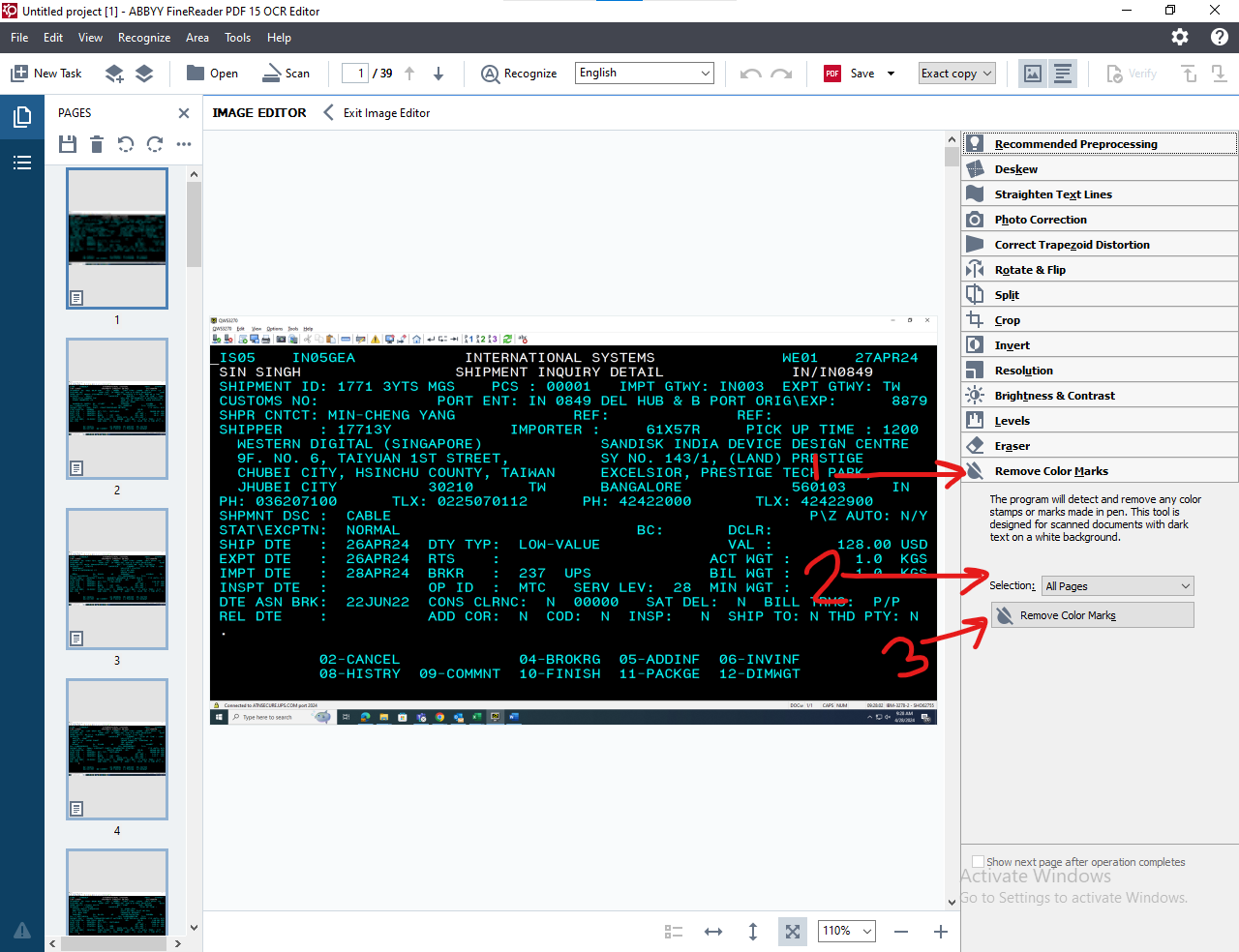
8. Select Recognize 
9. Select Save As Searchable Pdf 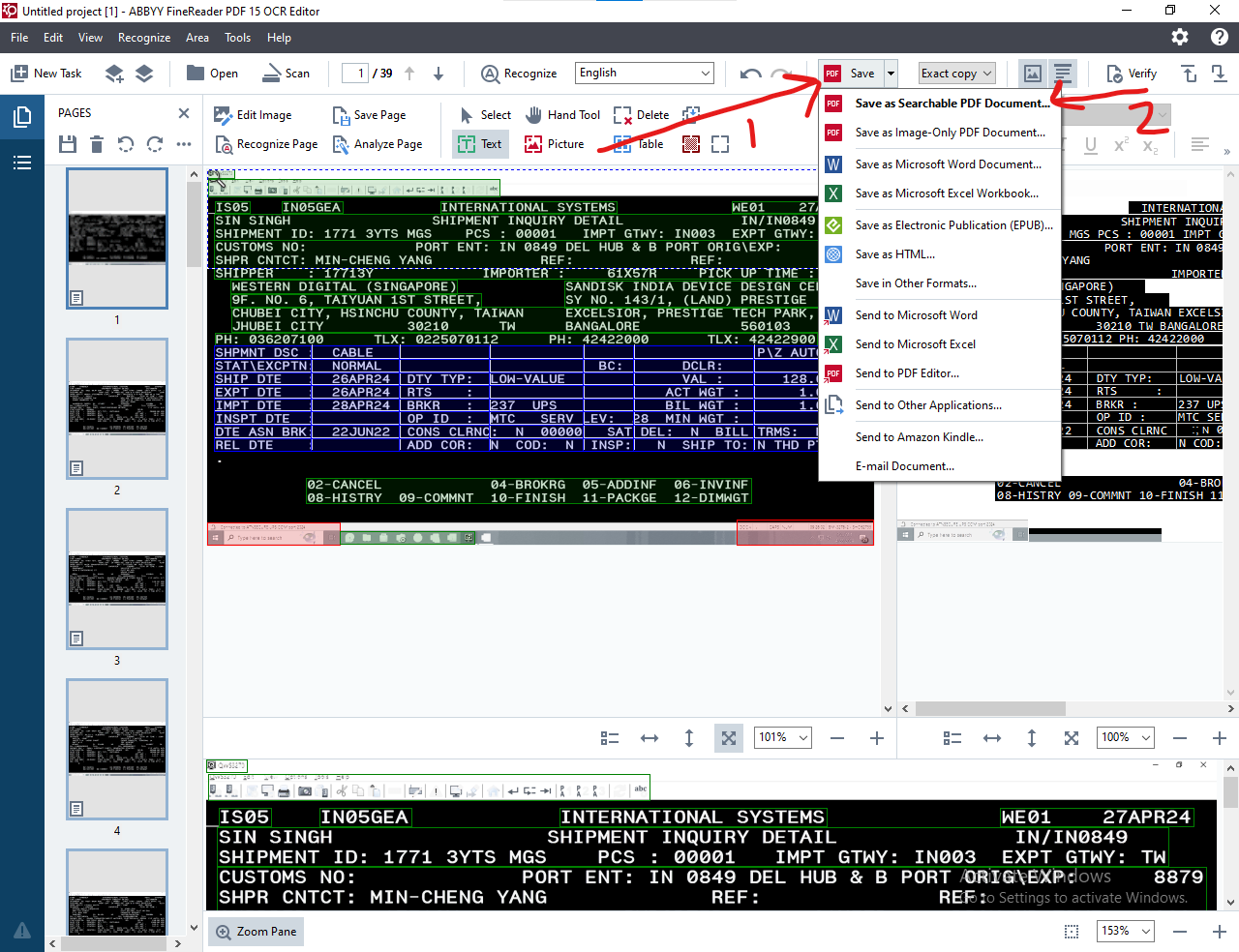
10. Select Save Pdf For Each Image file 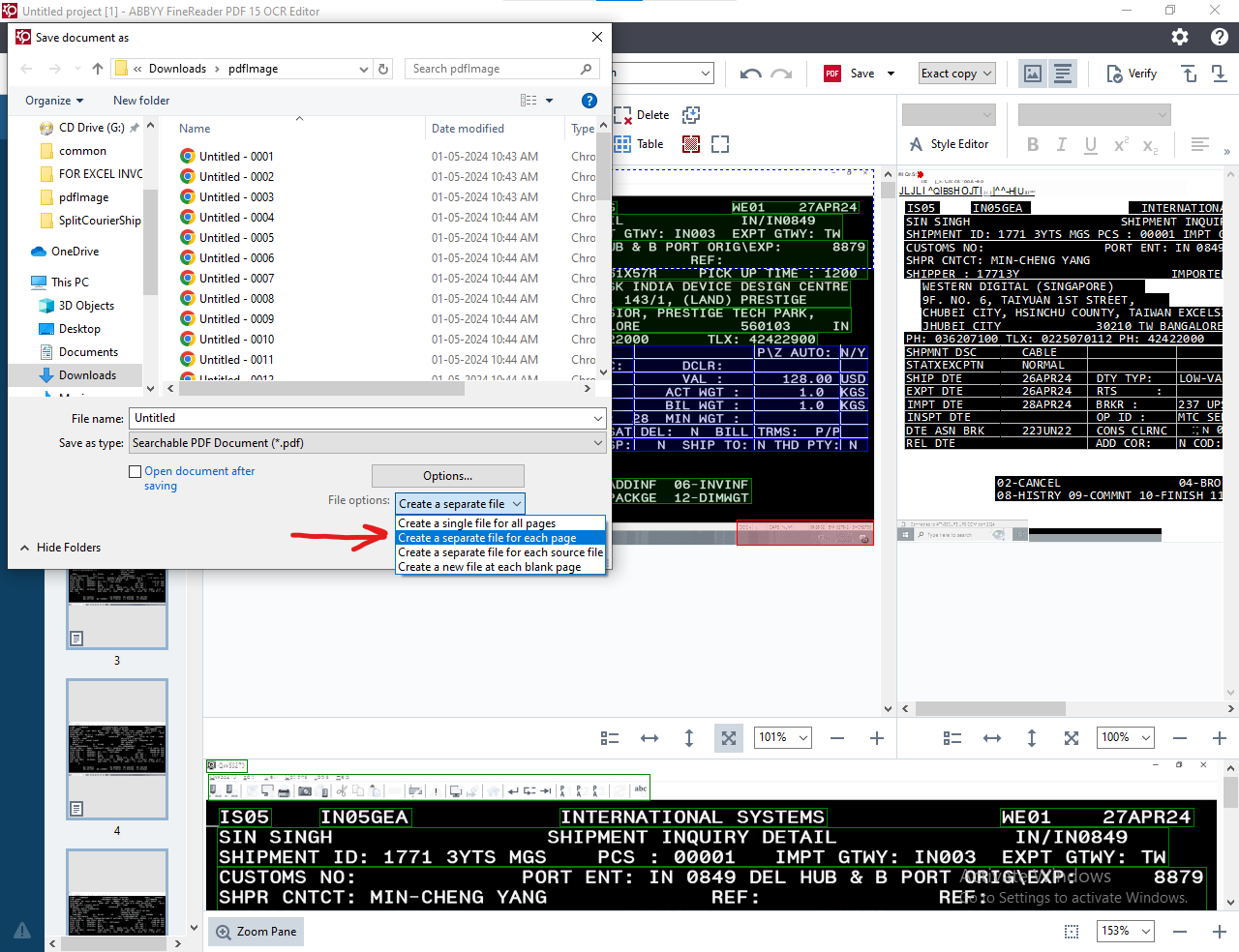
-
Step 3: Upoad UPS 'AWB Excel' And Then Upload 'Manifest Screenshot Pdfs'